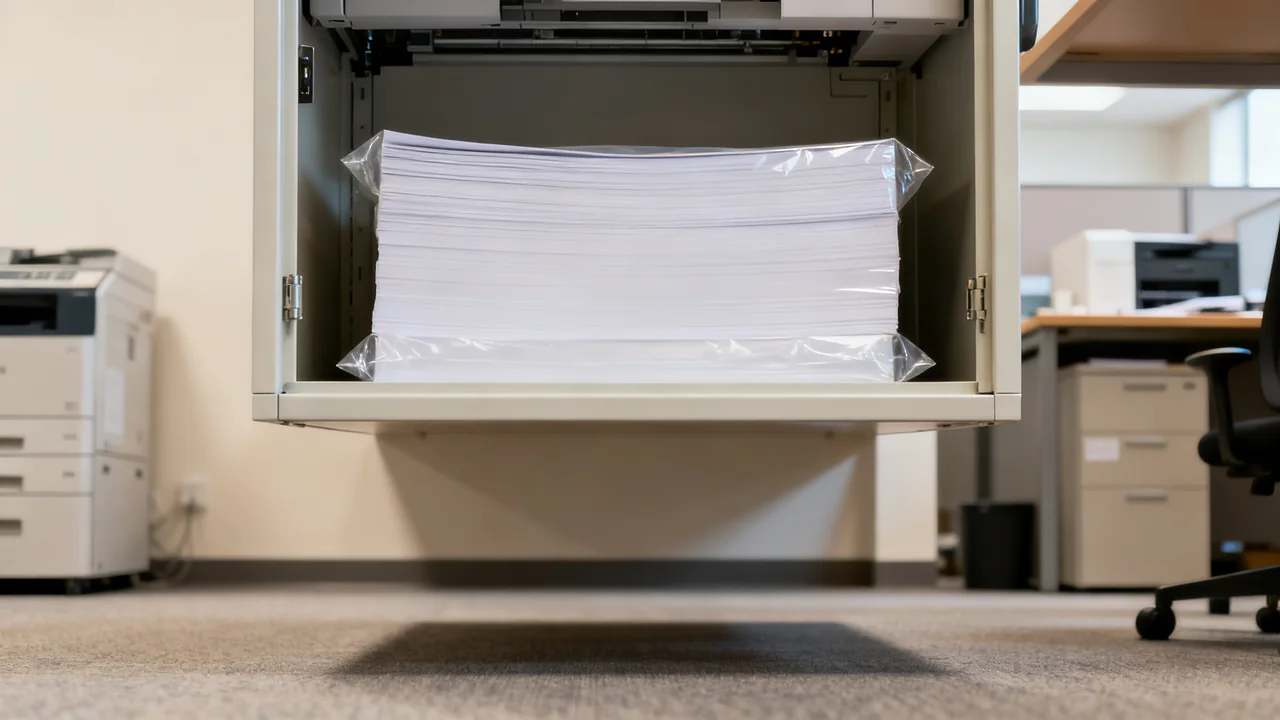
Damp, curled or damaged paper can contribute to feeding and print-quality problems. A practical storage and loading routine helps staff distinguish usable stock from paper that should be set aside. It also makes repeated faults easier to describe when a supplier or service provider needs to investigate.
Check Deliveries Before Storing Them
Inspect cartons and ream wrappers for damp patches, crushing, punctures and damaged corners. Set questionable stock aside and ask the supplier about replacement rather than mixing it into a usable stack. Record the delivery reference and take photographs if damage needs to be reported.
Keep paper in its original protective packaging until needed, whether it will be stored for a day or several months. Handle cartons and reams so edges remain supported and flat. Do not drop them or force a bent pack into a crowded cupboard. Check the paper type, size and weight against the printer’s supported-media list before accepting a substitute product.
Choose a Stable, Dry Storage Location
Use the conditions stated by the paper supplier and the printer manufacturer. Keep stock away from damp walls, leaks, direct heat, windows and cleaning splashes. Store it flat on a sound shelf or other suitable support above the floor, within the support’s load limit. There is no universal three-foot clearance or five-ream stack limit for every office and paper product.
Keep unused sheets protected in their original wrapper or a suitable clean, dry container. Do not seal paper that is already damp into a container and assume the problem has been solved. A moisture absorber is not a replacement for fixing a leak or unsuitable storage conditions.
HP’s paper storage and loading guidance for inkjet printers recommends keeping packaging closed until use and avoiding temperature fluctuations. Treat any environmental range in a particular guide as product guidance, not a universal setting for every printer or specialty stock.
| Location | What to check | Practical decision |
|---|---|---|
| Interior supply cabinet | Dryness, shelf strength and access | A useful option if stock stays protected and easy to rotate |
| Shelf beside a sink | Splash and leak exposure | Move paper to a dry location |
| Closet against an exterior wall | Condensation or dampness | Investigate actual conditions before storing paper |
| Open stock beside the printer | Dust, bending and duration of exposure | Keep only the working supply accessible and protect the remainder |
Check the Stack When Loading
Before loading, look for curled edges, creases, wet marks, dust and sheets stuck together. Remove questionable sheets rather than feeding them to see whether the printer can handle them. Use the same supported type and size throughout a tray unless the printer specifically allows another arrangement.
Prepare the stack exactly as the printer manual directs. Some media instructions call for fanning or flexing a stack; do not turn that into a rule for every paper, label or coated sheet. Align edges gently, stay below the tray’s maximum fill mark, and adjust guides as instructed without bowing the stack. Select the correct paper type and size in the printer settings as well as the application.
After loading, use a small relevant print job to confirm that feeding and output are normal. If jams recur, stop repeatedly refeeding the same stock. Note the tray, paper product and error message, and follow the user-accessible troubleshooting steps or ask the service provider.
Separate Questionable Paper from Usable Stock
Do not treat pressing damp paper under a weight for 24 hours as proof that it is safe for a printer. Appearance alone cannot confirm its moisture condition or coating integrity. Keep suspect stock out of the printer and ask the supplier whether the product can be conditioned under specified conditions or should be replaced.
Do not use a microwave, heater or hair dryer to dry paper. If a pack has moved from a very different environment, follow the supplier’s acclimatization directions before opening it. Do not invent a waiting period that applies to every material.
Dry, clean sheets that are unsuitable for printing might be usable for non-sensitive handwritten notes, depending on their condition and workplace policy. Keep that supply clearly separate so someone does not load it accidentally. Dispose of contaminated or moldy material according to the workplace’s procedure; do not brush contamination away in the office.
Illustrative Example: Testing a Storage Change
Imagine a seven-person office that finds curled sheets in a printer beside the break area. This is a hypothetical workflow example, not a reported case study. The administrator records the paper product, storage location, affected tray and observed faults. They move unopened stock to a dry cabinet and protect the open ream, while keeping printer settings and the approved paper type consistent.
For the next review period, the team logs misfeeds and notes whether each one involved paper from the original location or new protected stock. They do not assume that every jam has the same cause: worn feed parts, unsuitable media and tray setup can also need attention. If the pattern persists, those observations give the service provider something more useful than “the paper keeps jamming.”
A first-in, first-out shelf arrangement makes the older stock easy to use first. The point of the change is a process the team can evaluate, not a promise of zero jams or a fabricated annual saving.
Review Conditions When the Season Changes
If curling, sticking or static becomes noticeable during a weather change, compare the storage and operating conditions with the paper and printer instructions. A room reading can help facilities investigate, but it does not establish the condition of every sheet inside an opened pack.
Do not rub paper against an anti-static pad or add a humidifier beside equipment as a generic remedy. Ask facilities to assess the room and the supplier to advise on the affected stock. Follow any model-specific directions for how much paper to leave in a tray during extended periods without printing.
Stock levels can also change seasonally. Ordering smaller quantities may reduce long storage times but can increase delivery work or unit price. Compare actual quotes and usage rather than assuming bulk buying is always cheaper after waste and storage are considered.
Make the Routine Easy to Maintain
Give each paper product a defined shelf position and label it with size, type and the printers approved to use it. Keep specialty stock in its original packaging and prevent loose labels, opened envelopes or unknown sheets from being mixed into a normal tray. Make the return path clear for a staff member who finds questionable stock.
For a small office, one owner can review supply condition and reorder levels during an existing stock check. For multiple printer areas, designate a local contact who knows where good stock is kept and where damaged stock is isolated. The frequency of the administrative check should reflect actual use; it is not a universal maintenance requirement.
Keep a short record of recurring faults, supply changes and supplier responses. Review whether the storage arrangement still works after furniture moves, changes to cleaning routes or a new printer installation. If a solution depends on staff remembering a complicated sequence each time they print, simplify the layout or ask the vendor for a more practical approved method.
- Original protective packaging remains intact until needed.
- The shelf is dry, stable and suitable for the stored load.
- Paper matches the printer’s supported-media instructions.
- Tray preparation and loading follow the specific manual.
- Suspect stock is separated and recurrent faults are recorded.
Have a question or a correction?
Contact the editorial team