Preparing an office for a short closure starts with knowing what must keep working. A device that appears idle may support remote access, monitoring, scheduled backup or automatic maintenance. Make a written plan for the actual closure, with an owner for each shutdown decision and a separate reopening check.
This guide covers ordinary workplace equipment and supplies. A renovation, loss of building services or extended vacancy needs a plan coordinated with facilities and IT. Do not apply a simple holiday checklist to equipment exposed to construction dust, water or uncontrolled temperatures.
Agree the operating requirements first
Confirm the last occupied day, expected return date, any planned contractor access and whether staff will work remotely. Ask the responsible teams which services must remain available and which building conditions need to be maintained. Do not decide solely from the length of the closure.
List dependencies. A remote file service may need its storage, network equipment, internet connection and managed power system. A monitoring device may depend on the same network. Switching off an apparently unrelated component can stop the service you intended to retain.
For each item or group, record the asset identifier, location, approved action, person responsible and reopening step. Use distinct states such as “remain operating,” “normal shutdown,” and “await owner decision.” An undecided item should be escalated before departure rather than unplugged by default.
Document condition before shutdown
Walk accessible areas and note existing faults, loose papers, equipment already awaiting repair and supplies exposed to spills or construction. Photograph relevant damage where permitted, avoiding private documents and screens. This creates a useful baseline for the person reopening the office.
Deal with visible safety concerns through the normal reporting process. A suspected damaged cord or liquid-affected device needs appropriate isolation and assessment; it should not simply remain on the reopening list for someone to test later.
Collect documents from printer output trays, scanner glass and meeting tables. Return them to approved storage or handling workflows. Erase whiteboards only after their owners have preserved any information they need, using the board’s permitted cleaning method.
Use device-specific power and storage instructions
Have IT approve the computer and network plan, including remote support, backup schedules and updates. Confirm required backups have completed and that the responsible team can handle failures. Do not disable security updates or initiate a new encryption configuration as an improvised last-minute closure task.
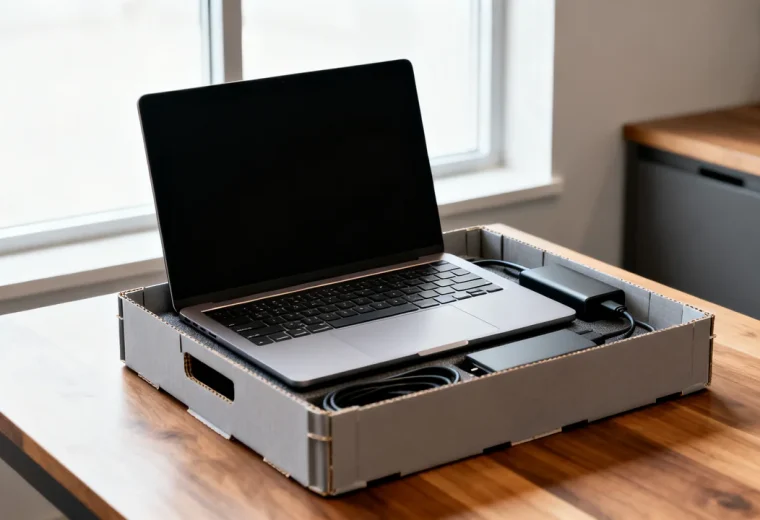
Save work and use each device’s normal shutdown procedure where shutdown is authorized. Disconnect power only where the plan and equipment instructions call for it. A switched power strip is not a substitute for a coordinated shutdown, and no generic power setting guarantees protection from storm damage.
Do not remove built-in batteries from headsets, laptops or other sealed products. If a device’s instructions call for removing user-replaceable batteries during storage, follow that procedure and the workplace battery-storage arrangements. Charging state and storage conditions for rechargeable products must come from their specific guidance, not a universal holiday rule.
Keep vents clear on equipment that remains operating. Avoid draping cloths over electronics. If a manufacturer permits a storage cover, use it only in the specified state and conditions, and make removal part of reopening. Building work may require an approved move or containment plan rather than a cover.
Prepare printers, supplies and furniture appropriately
Check each printer’s idle-period instructions before switching it off. Some equipment has maintenance or connectivity requirements that affect the plan. When shutdown is appropriate, use the normal power control and wait for completion before any permitted disconnection. Do not remove cartridges or run cleaning cycles merely because the office will be closed.
Clear originals from the scanner and document feeder using normal access points. Use transport locks only when the device’s instructions require them for an approved move, and record the corresponding unlocking step. A scanner should not be folded, locked or dismantled based on another model’s design.
Keep spare paper in its protective packaging and suitable storage conditions. Decide whether to unload trays from the printer guidance and expected environment. Sealing already damp paper in a container is not a remedy for a moisture problem.
Clean food residue and arrange approved storage or disposal of food. Coordinate refrigerator decisions with whoever owns its contents; do not alter cooling settings for temperature-sensitive supplies without authorization. If an appliance is being emptied and shut down, follow its cleaning and storage instructions.
Leave furniture stable and routes clear. There is no need to change chair height to a supposed gas-cylinder storage position. Keep chairs in an appropriate parked location without forcing them beneath desks, and leave defects labeled and tracked rather than attempting closure-day repairs.
Give the closure record a reopening column
| Item | Closure decision | Reopening check |
|---|---|---|
| Managed computers and network | Follow the IT-approved service and shutdown plan | IT confirms required services and access |
| Printers and scanners | Apply the specific idle or storage instructions | Check condition, remove permitted covers and restore normal use |
| Paper and shared supplies | Protect in appropriate storage and clear exposed areas | Check for moisture or other visible damage before use |
| Meeting equipment | Use the approved room shutdown state | Run the room’s normal functional check |
| Facilities and monitoring | Named owner confirms continuing operation | Owner checks alerts and building condition |
Consider a hypothetical office closing for a holiday while several staff work remotely. IT retains the network and approved file services, while users shut down assigned workstations that are not needed remotely. The printer owner checks the model’s idle instructions instead of automatically disconnecting it. The person reopening receives this equipment list and the contact for each exception.
This example does not prescribe a closure duration or promised restart time. Its useful feature is ownership: the person locking the door can see which equipment should still operate and why.
Reopen by checking condition before operation
The returning person should look for leaks, unusual smells, visible damage, signs of unauthorized access and changes from the condition record before restoring equipment. Do not energize a suspect device to test it. Keep it out of use and follow the appropriate escalation procedure.
When conditions are suitable, follow the documented startup order and involve the responsible teams where needed. Check network access, print and scan functions, and meeting equipment before declaring them ready. Record unresolved problems and who owns them.
Keep the closure record with the office’s operational documents. Updating it with actual exceptions and reopening findings creates a more useful next checklist than copying a generic list of devices to unplug.
Have a question or a correction?
Contact the editorial team