Reusable whiteboards are low-cost, flexible tools for brainstorming, meeting agendas, and team announcements, but unaddressed smudges, faded marker residue, and accidental permanent marks can make them unreadable over time. This guide focuses specifically on whiteboard care distinct from general office supply cleaning, electronics maintenance, or furniture upkeep, with actionable steps tailored to shared workspaces where multiple users access the same boards.
Pre-Use Surface Verification and Initial Prep
Before implementing any care routine, confirm the type of whiteboard surface you are working with, as care steps vary widely. Common surface types include melamine (resin-coated particle board), porcelain (glass-coated steel), and tempered glass, each with different manufacturer guidelines for cleaning products and marker compatibility. Locate the original manufacturer’s care instructions. If they are unavailable, ask the supplier before applying an unfamiliar cleaner; a small test patch does not establish general compatibility.
Remove any residual packaging film, stickers, or adhesive residue from new boards before first use, following the manufacturer’s approved adhesive removal method. Do not use sharp scrapers on any whiteboard surface, as they can scratch the finish and create crevices where marker residue can accumulate permanently. Confirm the exact marker type approved for the board. Keep permanent markers and other unsuitable pens away from a board intended for dry-erase use.
Daily Wipe-Down Protocols for Shared Boards
For whiteboards used daily in meeting rooms or common areas, establish a consistent end-of-day wipe-down practice to prevent residue build-up. Assign the task as a rotating responsibility for staff who use the space, or include it in regular shared space upkeep tasks. Use the eraser or clean soft cloth specified by the board maker. Keep it separate from cloths used for food spills or other dirty surfaces.
When wiping the board, use long, overlapping strokes from top to bottom to avoid leaving streaks. Brush eraser debris into a trash receptacle regularly, as accumulated marker dust on the eraser will leave smudges instead of removing ink. If the eraser becomes heavily saturated with ink, replace it or clean it according to the manufacturer’s instructions, as a dirty eraser will do more harm than good. Do not use water or cleaning products for daily wipe-downs unless the manufacturer explicitly approves their use for regular care, as excess moisture can break down the board’s coating over time.
Addressing Ghosting and Stubborn Residue
Ghosting is a faint outline left after erasing. Residue, unsuitable markers, a dirty eraser or a damaged surface may contribute; the mark alone does not identify the cause. To address minor ghosting, first use a manufacturer-approved whiteboard cleaning solution applied to a soft, lint-free cloth, then wipe the board completely dry with a second clean cloth. Apply the approved product as directed, controlling excess liquid around the frame and nearby equipment. Some board products specify direct application, while others use a cloth; follow the actual instructions.
For more stubborn ghosting, follow the manufacturer’s recommended deep-cleaning procedure. Avoid abrasive scrub pads, baking soda, or unapproved cleaning chemicals, as these can etch the surface and make future ghosting more likely. If marks persist after the approved treatment, stop repeating stronger cleaning and ask the supplier to assess the surface and options.
Address Accidental Marks Using the Board’s Instructions
If someone uses an unsuitable marker, identify the product and consult the board maker’s stain-removal instructions. Do not assume that tracing it with a dry-erase pen is approved for every surface. Use that technique only where the specific instructions permit it, and do not add an unapproved solvent if the result is incomplete.
For coffee, adhesive or other residue, use the approved product and method. Avoid scrapers, abrasive powders and aggressive scrubbing. A cleaner suitable for another glass surface is not automatically the right choice for every glass writing board.
Quartet’s board-maintenance guidance distinguishes cleaning products and accessories for its boards. It is a useful example of the documentation to retain with a board’s model number, rather than a license to use any cleaner carrying the word “whiteboard.” Allow the surface to dry as directed before writing again.
Illustrative Example: Small Marketing Agency Meeting Room Whiteboard
This hypothetical scenario demonstrates how these steps work in practice for a 10-person small business: A 4×6 foot porcelain whiteboard in the main meeting room is used for multiple brainstorming sessions and client check-ins per day. Staff often leave writing on the board overnight to reference in follow-up meetings, leading to frequent ghosting on the left third of the board where action items are usually written.
The operations manager first confirms the porcelain surface is compatible with non-abrasive whiteboard cleaning solution, then implements three new rules: 1) All writing must be wiped off the board by the last person using the meeting room each day, with a printed reminder taped to the side of the board. 2) Two clean whiteboard erasers are kept at the board at all times, with one swapped out for cleaning on a regular schedule. 3) A deep clean of the board using approved solution is added to the monthly shared space upkeep checklist. The team reviews readability and recurring marks after a trial period. If residue persists, they consult the supplier instead of claiming that the routine will eliminate every stain. The monthly review in this hypothetical example is an office planning choice, not a universal deep-cleaning interval.
Create a Model-Specific Care Card
Replace a generic compatibility chart with a short record for the actual board. It can be kept near the marker holder or in the room equipment folder, without putting adhesive on the writing surface.
| Field | What to enter |
|---|---|
| Board identity | Maker, model and surface specification from the order or label |
| Writing supplies | Approved marker and eraser types |
| Routine cleaning | Named compatible product, application and drying steps |
| Stain treatment | Link to the exact manufacturer procedure and escalation contact |
| Restrictions | Products, tools and attachments prohibited by the maker |
When a supply is replaced with a different product, check it before updating the card. Do not infer compatibility from a similar bottle or a supplier’s informal substitution. Keep a clear route for reporting a permanent mark or damaged mounting.
Setting Shared Use Rules to Reduce Wear
Clear shared-use rules make approved supplies and the care routine easier to follow. Post rules in a visible location next to the board, and include them in new hire onboarding for all staff who use shared meeting spaces. Common rules include: only use dry-erase markers approved for the board surface, no writing on the board with permanent markers or highlighters, no taping paper or posters directly to the board surface, and wipe all writing off the board at the end of each day unless a note is posted indicating the content is needed for a future meeting.
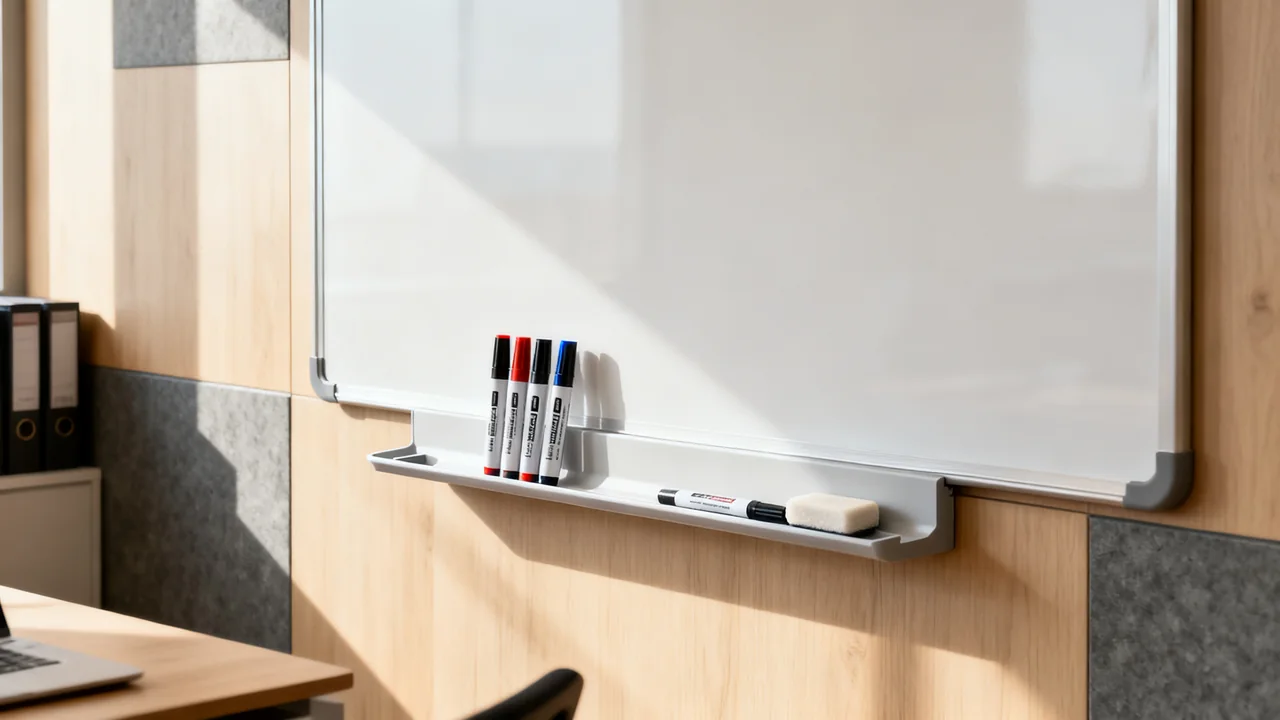
Keep a small supply of approved dry-erase markers in a holder next to the board, so users do not have to bring their own markers from their desks, which reduces the risk of accidental permanent marker use. Replace markers that no longer produce readable writing rather than pressing harder on the board. If multiple teams use the same board, consider designating a small section in the corner for “save” content, so users know not to wipe that section unless the date listed has passed.
Tradeoffs for Different Usage Levels
Your care routine should match how often your whiteboard is used, to avoid unnecessary work or under-maintenance that leads to premature replacement. Follow the board maker’s routine and adjust administrative checks to actual use and visible residue. A busy room may need more attention to eraser condition and supply replacement, but usage alone does not prescribe a universal deep-cleaning interval.
If you frequently need to save content written on whiteboards for later reference, consider pairing your board with an approved camera or whiteboard-capture system to save notes before wiping, subject to workplace information-handling rules, instead of leaving writing on the board for days or weeks at a time, which contributes to ghosting. This tradeoff adds a small step after meetings and lets the team erase writing when appropriate; it does not guarantee a stain-free surface. For teams that use whiteboards for creative work that requires multiple sessions to complete, consider investing in a portable secondary whiteboard that can be stored away between sessions, instead of leaving work on the main shared board for extended periods.
Actionable Whiteboard Care Checklist
Use this short checklist for regular upkeep of all shared whiteboards in your workplace:
- Confirm all markers stored next to the board are approved dry-erase markers, no permanent markers or highlighters are present
- Inspect erasers for excess ink build-up, replace or clean if they leave smudges during wipe-down
- Wipe the entire board with a dry eraser to remove all fresh writing and surface dust
- Check for any ghosting, stains, or accidental permanent marks, address with approved cleaning products per manufacturer guidelines
- Verify posted use rules are legible and visible to all users, update if needed based on recent issues
- Check the board frame and edges for any signs of warping, delamination, or loose mounting, submit a repair ticket if damage is found
When a whiteboard reaches the end of its usable life, with widespread scratching, permanent ghosting that does not respond to deep cleaning, or warped edges that make writing difficult, document the damage and replace the board promptly, as a worn, unreadable board creates unnecessary friction for meetings and collaborative work. Keep manufacturer documentation for new boards on file with your other office equipment warranty records, so you can reference care guidelines quickly if issues arise.
Have a question or a correction?
Contact the editorial team