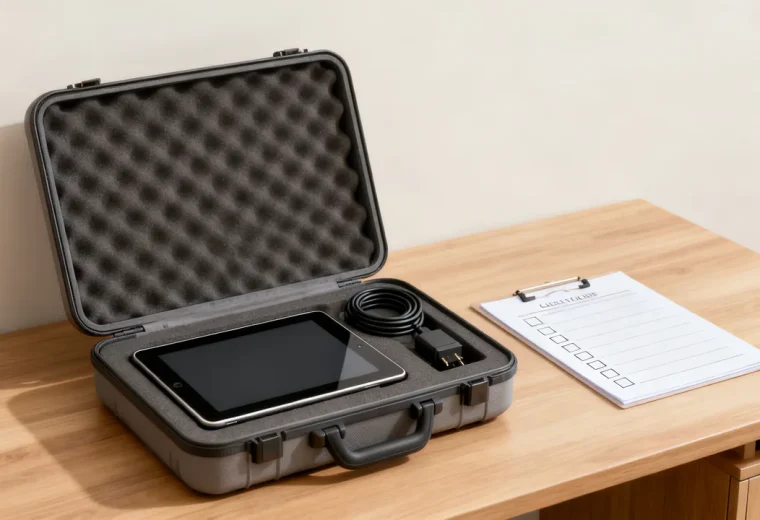
Hybrid teams rely on equipment that works across two locations: the office, where people drop in for meetings or focused work, and home offices, where staff work remotely for part or all of their week. Spare equipment planning for this model differs from traditional office planning because it needs to cover both sudden failures of in-office shared devices and urgent requests from remote staff who cannot complete work without a replacement item. This guide walks through the steps to build a spare inventory that aligns with your team’s specific work patterns, avoids overstock, and reduces downtime for all team members.
Map Usage Patterns Before Purchasing Spares
The first step is to audit how your team uses equipment across both settings, as this will dictate what spares you actually need, rather than generic lists that include items your team never uses. Start by compiling available equipment support requests across representative work periods, noting which items failed, where the user was located when the failure happened, and how long the user waited for a replacement before experiencing work disruption. Compare the actual fallback options: an office user may be able to borrow a compatible item nearby, while a remote user may need delivery or an approved local purchase.
Next, segment your equipment into three categories: shared in-office devices, individual employee devices assigned for home use, and cross-use items that work in either setting. Shared in-office devices include conference room webcams, desk phones, and shared printers. Individual home use devices include laptops, external monitors, and ergonomic mice assigned to specific staff. Cross-use items include headsets, portable chargers, and USB-C adapters that can be used in either location. For each category, note the total number of units in use, the observed service history and replacement options, and the maximum acceptable wait time for a replacement if a unit fails.
Calculate Appropriate Spare Quantities Per Category
There is no universal spare-to-device ratio. Build a small planning table with the item type, compatible devices, number in use, observed failures or losses, replacement lead time, and an acceptable fallback. Include setup and delivery time, not just whether a vendor has stock.
For each critical function, ask what happens if a device fails today and whether another failure during the replacement period would leave the team without a workable option. Use that scenario and actual support history to justify the quantity. Avoid treating a small amount of historical data as a reliable failure forecast.
As a hypothetical example, an office may choose to keep a configured spare laptop because local procurement and setup take longer than its acceptable interruption. It may keep no spare printer if a nearby shared printer covers the same work. These are conditional choices, not suggested quantities for every team.
Compare the cost of holding stock with confirmed service arrangements and practical alternatives. Warranty coverage does not necessarily mean an immediate replacement; check the terms, eligibility, location, and process before relying on it.
Choose Storage Locations That Serve Both In-Office and Remote Needs
Your spare equipment storage system needs to accommodate two types of access: immediate pickup for in-office staff, and easy retrieval for shipping to remote staff. For small teams, a single locked cabinet in the main office admin area works for most spares, but you will need to separate items by intended use to avoid confusion. Label one section for in-office immediate use, so staff can grab a replacement headset or keyboard without waiting for admin approval, and another section for remote deployment, which is only accessed by admin staff to ship out to remote employees. This separation prevents you from using a laptop earmarked for a remote employee with a broken device for a temporary in-office guest.
If your team is spread across multiple geographic regions, consider storing a small set of high-priority spares (laptops, chargers, headsets) with a designated team lead in each region, to cut down on shipping times for remote staff in that area. Keep a central log of all distributed spares so you can track where units are located and reallocate spares between regions if one area has an unexpected number of failures.
Build a Clear Checkout and Return Process
Even a small spare inventory will quickly become disorganized without a clear process for checking out and returning items. For in-office immediate-use spares, use a simple paper or digital sign-out sheet near the storage cabinet that asks for the user’s name, the item they are taking, the date, and the expected return date. For items being shipped to remote staff, send a confirmation email that includes the tracking number, the expected arrival date, and a pre-paid return label for the broken item, so the user can send it back for repair or disposal at no cost to them.
When a returned item comes back, inspect it promptly under the team’s return process to determine if it can be repaired, wiped and returned to the spare inventory, or recycled. For devices that store sensitive data, follow your company’s data wiping policy before returning the unit to circulation, to ensure no residual data is accessible to the next user. If you send a spare to a remote employee who leaves the company, include the spare equipment in your offboarding checklist to ensure it is returned promptly.
Compare Deployment Options for Remote Spares
| Option | Check before relying on it | Tradeoff |
|---|---|---|
| Ship from central stock | Compatible item, packaging, carrier service, and destination. | Maintains a controlled setup but includes transit and receiving time. |
| Collect from a regional contact | Actual stock, access hours, and a responsible custodian. | Can shorten travel distance but spreads inventory management. |
| Approved local purchase | Stock availability, approved model, budget, and reimbursement process. | May be practical for urgent accessories but still requires compatibility checks. |
Use current quotes and confirmed availability. Same-day purchase or next-day delivery is not guaranteed. Choose the route that meets the user’s actual work need and your organization’s purchasing and security requirements.
Maintain Your Spare Inventory Long-Term
Check spare stock as part of a routine suited to its importance and storage requirements. Confirm the count, condition, compatibility, software readiness, and any accessories required for deployment. Follow the manufacturer’s storage guidance for battery-powered devices; an item left on a shelf may need preparation before it can be issued.
Review the plan when device models, team locations, staffing, or support arrangements change. If a spare has not been used, assess whether the underlying risk remains before disposing of it. Reassign or retire obsolete equipment through the normal asset and data-handling process.
Actionable Pre-Deployment Checklist
Before adding any item to your spare inventory, complete these steps to ensure it is ready for immediate use:
- Check battery condition and charge appropriately before deployment, following the device’s storage and charging instructions; test the required functions without assuming a short check rules out every defect
- Install core software and security updates on laptops, so the user can start working immediately without waiting for downloads
- Attach a pre-printed label with your company name and a return address, so lost spares can be mailed back if found
- Log the item’s serial number and purchase date in your office equipment register, to track warranty coverage and lifespan
- For cross-use items, include a small printed note with instructions for returning the spare once the user’s broken device is repaired or replaced
Tradeoffs to Adjust for Your Team’s Specific Needs
Prioritize the functions with the least acceptable interruption and fewest alternatives. A spare that cannot run the required software or connect to the user’s equipment is not a useful replacement, even if its connector looks familiar.
Where budgets are limited, document which risks are covered by stock, which by borrowing or service arrangements, and which remain unresolved. Assign an owner to keep those arrangements current. The aim is a practical recovery plan, not a cupboard filled to a generic ratio.
Have a question or a correction?
Contact the editorial team