A desk’s load rating is meaningful only with the conditions attached to it: the exact frame and top, load distribution, mounting method, operating position, and whether the desk moves. A total weight below a headline figure is not enough to establish that a heavy equipment setup is suitable.
This guide focuses exclusively on verifying and applying desk weight ratings for stationary heavy equipment, separate from layout planning, furniture condition checks, or sit-stand desk feature comparisons. All capacity calculations require cross-referencing with the specific desk manufacturer’s official manual, as general assumptions about load limits are unreliable.
What Counts Toward Total Desk Load
Every object placed on a desk contributes to the total load that counts against the published weight rating. This includes not just large equipment, but smaller, easily overlooked items that add up over time. Be sure to account for:
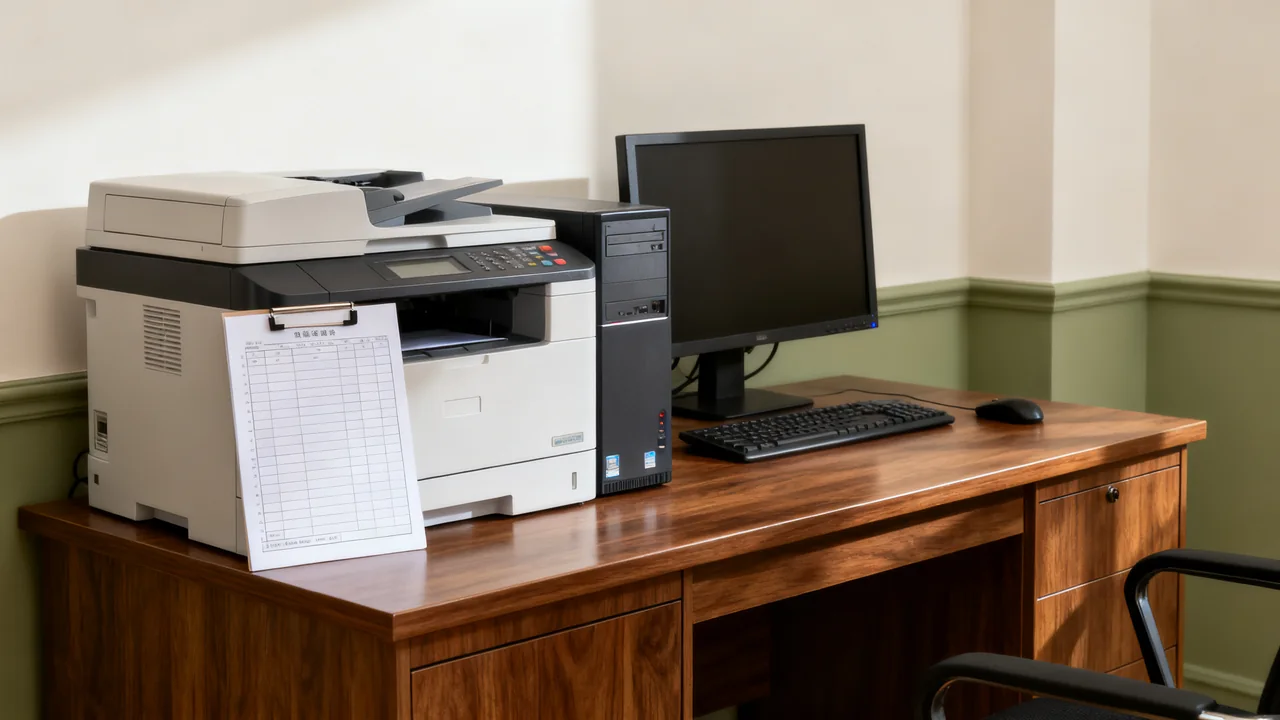
- Heavy equipment such as desktop printers, network servers, overhead scanners, and multi-monitor arm assemblies with attached screens
- Accessories fixed to the desk, including under-desk keyboard trays, mounted power strips, cable management trays, and drawer organizers loaded with supplies
- Regularly stored items, such as stacked reference books, inventory samples, and bulk supply bins kept on the desk surface for daily access
- Any equipment mounted via clamps or brackets, such as document cameras, microphone booms, and side tables attached to the desk frame
Weight from clamps and mounts distributes stress to the desk frame and tabletop, so these count fully toward the total load, even if part of the attached item hangs over the desk edge. Do not exclude them from calculations under the assumption that overhanging weight does not apply stress to the desk structure.
Locating and Interpreting Official Weight Ratings
Desk weight ratings are not standardized across manufacturers, so you must locate the official rating for each specific desk model you use or plan to purchase. Never rely on visual estimates of sturdiness, as thick tabletops may be made of low-density material that cannot support heavy loads, and thin metal frames may have hidden reinforcement that increases capacity.
Ratings are typically listed in three places, depending on the desk’s age and source:
- Printed on a compliance label affixed to the underside of the desk tabletop, often near the back edge or leg mounting points
- In the product specifications section of the manufacturer’s official product page or printed product manual
- In the original sales documentation provided by the furniture vendor at the time of purchase
Some manufacturers list two separate ratings: a static load rating, which is the maximum weight the desk can support when stationary, and a dynamic load rating, which applies to sit-stand desks when being adjusted up or down. If the desk will be raised or lowered with equipment on it, use the applicable moving-load requirements even though the equipment itself is stationary. Confirm how the manufacturer defines each rating. Check each component rating as well as the whole assembly. Some frame ratings include the desktop’s own weight, so confirm what must be counted rather than assuming the top is excluded.
If you cannot locate an official weight rating for a desk, treat it as unrated for heavy equipment use. Do not guess a rating based on similar-looking desk models, as construction differences such as screw type, internal frame bracing, and tabletop core material can drastically change load capacity even for visually identical desks.
Illustrative Example: Calculating Load for a Design Team Workstation
Suppose a hypothetical equipment list includes 30 kg of displays, 3 kg of mounts, a 25 kg printer, 5 kg of accessories, and 7 kg of routinely stored materials. The listed load is 30 + 3 + 25 + 5 + 7 = 70 kg. These figures demonstrate the arithmetic only; they are not suggested equipment weights.
The buyer next checks whether the desk’s published rating applies to that exact frame and top, whether the top’s own weight must be added, and whether the distribution and concentrated clamp loads are permitted. The mount must also be approved for the desktop construction and the displays.
If the desk is height adjustable, the buyer checks the requirements for movement with that full setup, cable clearance, and any balance restrictions. Even if 70 kg is below a listed maximum, unresolved distribution, mounting, condition, or configuration questions must be answered before installation. The sum does not certify safety.
Comparing Support Options for Overcapacity Loads
If your total calculated load exceeds a desk’s published rating, you have four common support options to choose from, each with distinct tradeoffs depending on your workspace constraints. The table below outlines key decision criteria for each option:
| Option | Workspace impact | Cost implication | Best for |
|---|---|---|---|
| Separate freestanding equipment stand | Requires additional floor space adjacent to the desk | Cost varies based on stand capacity and construction; obtain written quotes from vendors to compare pricing for your required load capacity | Occasionally used equipment that does not need to be accessed daily |
| Upgrade to higher-capacity desk | No change to existing footprint if same desk size is selected | Requires upfront investment for the new desk plus any associated equipment relocation labor; compare quotes from authorized furniture vendors for models that meet your load requirements | Permanent heavy equipment setups used daily by a single user |
| Reinforce existing desk with additional support brackets | No footprint change, may reduce under-desk leg room | Cost and suitability depend on an expressly approved modification; obtain the resulting limits and installation instructions | Only configurations specifically approved by the manufacturer |
| Relocate non-essential items to adjacent storage | No footprint change, may reduce access speed to stored items | No cost, if existing suitable storage is available on-site | Minor overcapacity caused by infrequently used stored items |
Never install after-market support brackets without written confirmation from the desk manufacturer that the modification is approved, as unapproved reinforcement can create uneven stress on the desk frame and lead to unexpected failure. If manufacturer approval is not available, choose a different support option.
Special Considerations for Sit-Stand Desks
Check the exact model’s operating-load specification and what it includes. Do not rely on a higher stationary figure if the desk might move with the equipment in place. Also confirm any limits on load distribution, supported top size, and attached accessories.
Test only the normal operation permitted by the instructions, with the setup within all verified limits. Keep cables clear through the movement and stop if there is unexpected motion, obstruction, or a fault. Do not attempt a stress test to establish an undocumented capacity.
Casters and other modifications require explicit approval for the complete configuration and intended use. Whether a desk can be moved while loaded depends on its documentation, not an assumption that every mobile model has a particular reinforcement.
Weight Rating Verification for Used Desks
When using secondhand desks for heavy equipment, you cannot rely on previous owner reports of weight capacity, as the desk may have sustained hidden structural damage from prior overloading or improper moving. First, locate the official manufacturer label on the underside of the desk to confirm the original weight rating. If the label is missing, look for another reliable way to establish the exact model and configuration with the manufacturer. If that cannot be done, do not assume a heavy-load rating.
Next, inspect the desk for signs of structural damage that would reduce its original weight rating, even if the label is intact. Red flags include:
- Warping or bowing of the tabletop, even minor, which requires assessment rather than an assumed explanation
- Bent or dented metal frame components, especially near leg mounting points or lift mechanisms for sit-stand models
- Loose, stripped, or missing screws connecting the tabletop to the frame, or connecting leg sections to each other
- Cracked or splintered tabletop material, especially near clamp points where equipment may have been mounted previously
If any of these signs are present, you cannot assume that the original rating remains applicable, so it should not be used for heavy equipment until the issue has been assessed and any required repair completed by appropriate personnel under an approved procedure, with the resulting configuration verified as suitable for the proposed load.
Actionable Pre-Installation Checklist
Before placing heavy equipment, use this checklist to identify the information and approvals needed:
- ☐ Locate the official manufacturer weight rating for the specific desk model, and use the appropriate static or dynamic rating for your use case
- ☐ Tally the total weight of all equipment, mounts, accessories, and regularly stored items that will be placed on or attached to the desk
- ☐ Confirm the total calculated load is below the published weight rating, with a small buffer for future equipment additions if planned
- ☐ For sit-stand desks, consult the manufacturer’s documentation to confirm load distribution complies with the desk’s design limits to prevent uneven wear on the lift mechanism
- ☐ For used desks, inspect for structural damage that would reduce the original weight rating, and do not use a desk whose model, applicable rating, or condition cannot be established for the proposed load
- ☐ Cross-reference any planned modifications (such as support brackets or casters) with the manufacturer to confirm approval
Keep a record of the weight calculation and rating verification for each desk with heavy equipment, to avoid rework when equipment is updated or team members rearrange workstations. This record can also be referenced during furniture refresh planning to identify which desks are suitable for heavy use as your team’s equipment needs change.
Have a question or a correction?
Contact the editorial team