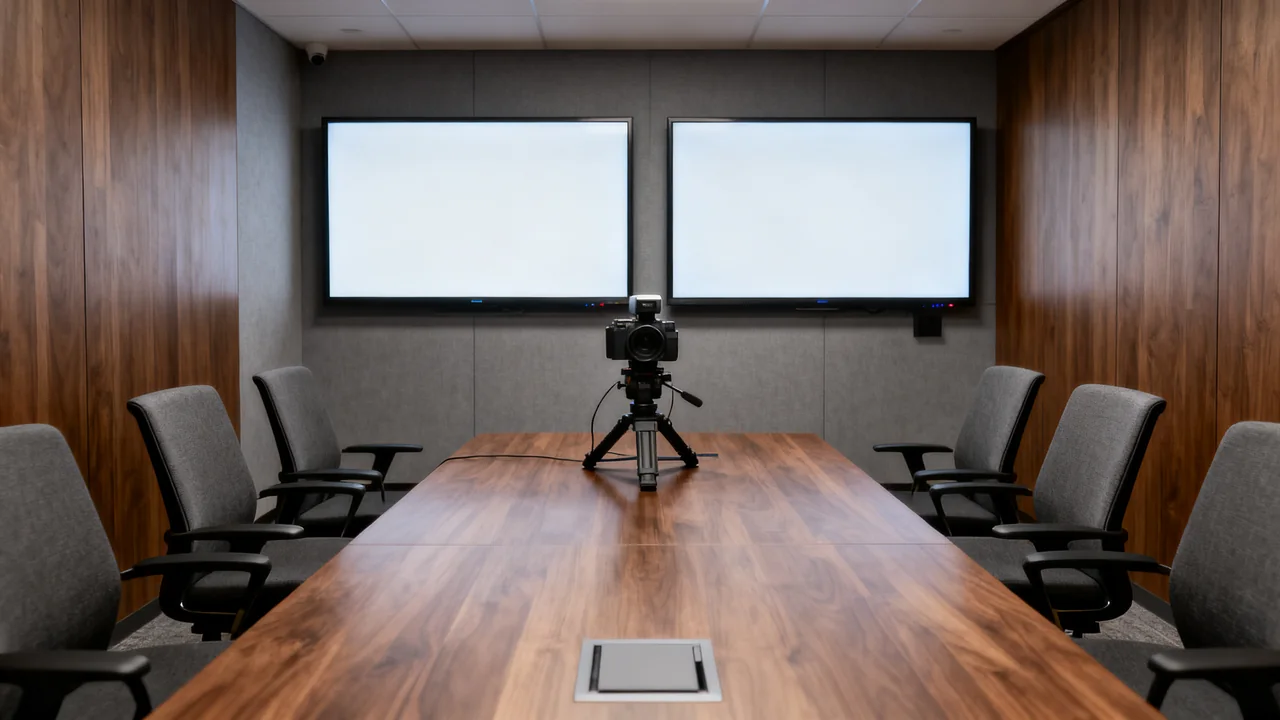
A second meeting-room display earns its space when it supports a specific task that one screen handles poorly. Examples include keeping remote participants visible while sharing content, or comparing two working documents. Establish the task first, then verify that the room system can show the intended views on separate screens.
Two connected displays may simply mirror one image. Whether they can show different meeting views depends on the host, software, operating mode and configuration. Additional hardware is not useful if the required workflow is unsupported or unreadable from the room’s seats.
Describe the viewing problem
Ask meeting hosts what they repeatedly need to see together. Record the actual content and who needs to see it: everyone in the room, the remote audience or only the presenter. Keep those audiences distinct when defining the screen layout.
For example, presenter notes may belong on the presenter’s laptop rather than a shared room display. Putting private notes or an internal chat on a second room screen can expose them to people in the room or to a camera. Verify both local visibility and the remote share before using real confidential material.
Try the single-screen layouts already supported by the meeting system. Adjusting content scale or changing the meeting layout may address the problem. If it does not, the failed trial helps explain what the second display must add.
Confirm the software and connection path
Check the exact room system’s documentation for dual-display operation. Record the supported meeting layout, display outputs, resolution and any licensing or account requirements. For a laptop-hosted room, include the laptop, dock, cables and operating system in that check.
Demonstrate the intended views during an actual call, including what happens when content sharing starts and stops. Have a remote participant confirm what they receive. Do not assume that extending a laptop desktop also creates a supported dual-screen room experience in the meeting application.
List any additional mount, cable, power or installation work. Ask the supplier for a complete quote rather than comparing only the price of a second screen.
Check the physical space
Measure the actual display dimensions and the installation clearances specified for each model and mount. Include access to connectors, ventilation and permitted movement. Screen diagonal alone does not establish the required wall width or cart footprint.
Use representative content to test both screens from every required seat. Check visibility, comfortable viewing and whether people must repeatedly turn away from the conversation. Do not use a universal mounting height or head-turn angle as proof that the arrangement will suit the room.
For carts, include the complete footprint, route, storage position and manufacturer’s handling instructions. For wall mounts, have the installer assess the support surface and attachment method. Preserve doors, access routes, whiteboards and other required room functions.
Compare arrangements
| Arrangement | Potential benefit | Decision to verify |
|---|---|---|
| Two fixed displays | A repeatable layout in a dedicated room. | Supported screen roles, installation and readability from required seats. |
| One fixed display and a compatible cart | An additional screen for selected meeting types. | Setup effort, safe cart location, storage and tested connections. |
| Presenter’s own supplementary screen | Private control or notes where appropriate. | Who can see it and what is actually shared remotely. |
| Keep one room display | Preserves space and avoids additional equipment. | Whether supported layouts and content scaling meet the task. |
A hypothetical decision record
Imagine a team whose shared slide deck makes remote participants difficult to see on the room’s single screen. The room owner would first test available meeting layouts. If those remain unsatisfactory, the team could trial a second display using a documented dual-screen configuration.
During the trial, record whether participants remain visible, whether the slide content is readable and whether users can start and end the meeting consistently. Check the same room when only one screen is needed. These observations should remain separate from any estimate of saved time.
The purchase case would compare the observed improvement with the complete installed quote and the space displaced. It would not require an invented percentage of meetings or a claimed reduction in rework. A rarely used but necessary capability can matter; a frequently active screen can still add little value.
Include operating and support costs
Use the selected display’s documented power information and your expected operating schedule if estimating energy use. Label assumptions and use the applicable local tariff. Keep standby operation separate from active use where the calculation requires it.
Include support, approved screen care, replacement arrangements and configuration ownership. Not every display needs the same update schedule or cleaning method. Follow the exact manufacturer’s instructions and avoid treating a general-purpose screen cleaner as universally suitable.
Consider the opportunity cost of the location: a second screen may replace useful writing space or make furniture movement harder. Put that consequence in the decision record rather than evaluating the hardware price alone.
Acceptance checklist
- The intended two-screen workflow has been demonstrated.
- Every required seat can read the necessary content.
- Private notes and internal material remain visible only to their intended audience.
- The complete installation and cable paths are approved.
- Users can restore the normal layout after sharing.
- The room owner has documentation and a support route.
Choose the second display when those checks support a clear benefit in the actual room. Keep the trial record so a future room or equipment change can be evaluated against the same requirements.
Have a question or a correction?
Contact the editorial team