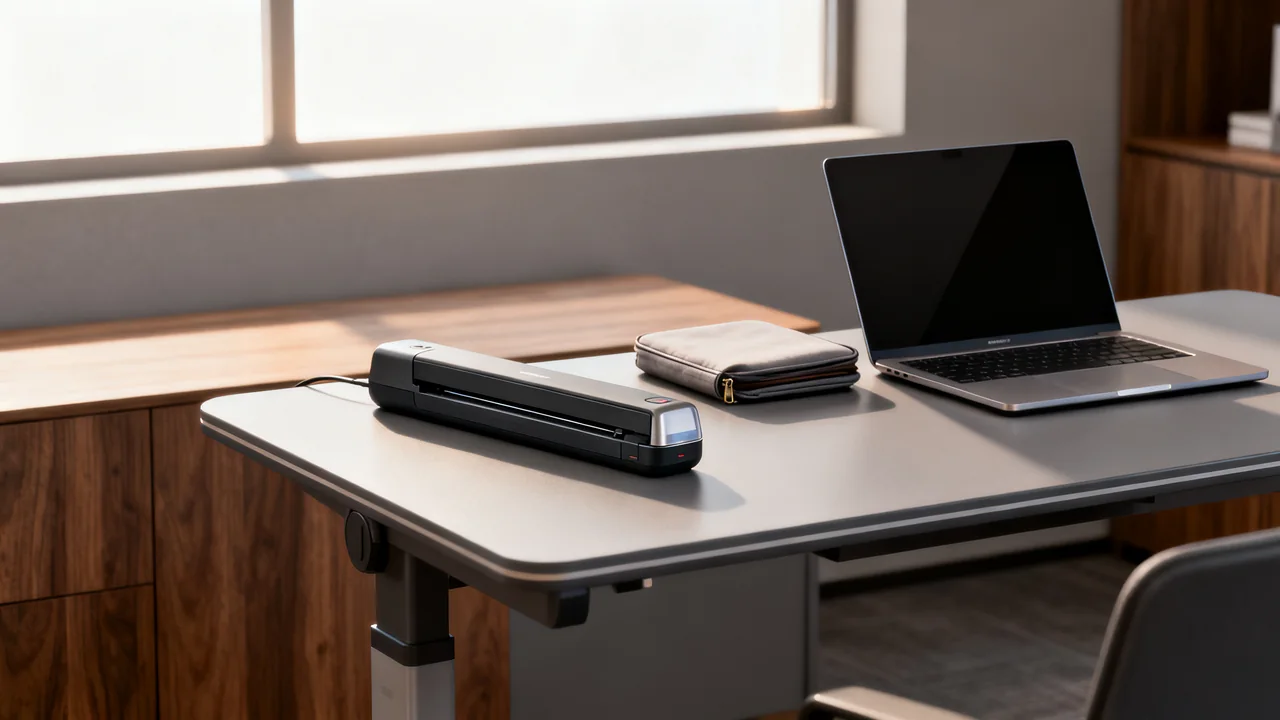
A portable scanner needs to fit the complete journey between offices: the originals, the available work surface, the computer or phone, power, connectivity, and the final file destination. A small device that cannot finish that workflow at one of the locations may be less useful than an existing scanner available there.
List tasks by location and original type
Record what staff scan at each location, how often it occurs, and whether the file must be available immediately. Separate a loose receipt from a multi-page packet, a plastic card, a bound notebook, or a fragile original. Each may require different handling support.
Check the exact model’s supported media and loading method. A sheet-fed portable scanner does not become suitable for bound or fragile originals because most of the user’s work involves loose paper. Those exceptions need an alternative method. A camera-based or overhead capture workflow may be worth evaluating where appropriate, with permission and quality requirements considered.
Include the people and space involved. A visiting employee may not have a private table or permission to connect equipment. Identify whether a host office already provides an approved scan route before adding another device to the travel kit.
Verify power and data as separate requirements
A connector’s shape does not establish what the scanner needs. Check whether a USB connection carries data, supplies operating power, charges a battery, or performs a combination of these functions. Confirm the required host, cable, adapter, driver, and supported operating system.
Do not assume a USB-C scanner works directly with any phone or that a charging cable also supports the needed data connection. A scanner may require a computer application even if it is physically connected to a phone. Test the proposed arrangement with the exact devices staff carry.
For battery operation, read the operating and charging requirements and test a representative workload. For externally powered operation, include the approved supply in the kit. If offline capture is offered, verify both storage and power: onboard memory does not let a USB-powered device operate without a suitable power source.
Understand the connection path at every site
Wi-Fi support can mean connection to an office network, a direct connection to another device, or another supported mode. Bluetooth support, where present, also needs a compatible application and workflow. These labels do not guarantee cloud upload or access to a shared folder.
Check with each location’s network owner before relying on connectivity. Guest networks may isolate devices or restrict access. Do not bypass those restrictions to make scanning convenient. If permitted, an approved offline workflow can capture files for later transfer, but it needs a clear verification and deletion process.
Determine whether scanning or OCR sends documents to a third-party service. Apply the organization’s information-handling policy and use approved accounts. A portable scanner can still create temporary files on a laptop, removable card, or phone, so track the whole route rather than only the final destination.
| Requirement | Check before purchasing | Trial condition |
|---|---|---|
| No network available | Supported offline capture and storage | Complete capture with the approved offline setup |
| No convenient outlet | Actual operating power source | Representative workload with the carried equipment |
| Phone-based use | Exact phone, OS, application, and connection support | Capture and verify a file on the intended phone |
| Multi-page packets | Supported feeder and page-handling workflow | Check order and complete output |
| Special originals | Explicit media approval or alternative method | Use only an appropriate approved handling route |
Measure the packed kit and the working setup
Compare the scanner’s packed dimensions and weight together with cables, supply, case, and any required host. A bare-device figure can understate what staff actually carry. Check the bag’s protection and space without placing strain on connectors or moving parts.
At the desk, allow for originals before capture and output after feeding. Some compact scanners need a larger working area than their closed body suggests. Verify the manufacturer’s placement and operating-environment guidance, especially if use occurs outside a conventional office.
Use a suitable protective case and the model’s transport instructions. Do not infer drop resistance from a hard-looking plastic shell or assume a closed feed slot protects against all dust. If the environment is unsuitable, arrange another scanning location.
Apply an illustrative cross-office scenario
Assume a coordinator carries a company laptop and scans receipts at three offices, occasional loose signed packets at a partner site, and bound notebooks at headquarters. These are hypothetical needs, not a recommendation for a particular scanner capacity.
The coordinator can evaluate a supported laptop-connected scanner for the loose originals, using the approved cable and power arrangement. At the partner site, the trial must show that files can be captured and securely held or transferred under the agreed policy. The bound notebooks remain a separate requirement, handled by a suitable stationary or overhead method at headquarters.
This division avoids buying features that do not solve the travel task while also avoiding the claim that a sheet-fed model meets every requirement. The purchase decision compares the complete portable kit with the existing location-based options and the frequency of each task.
Pilot the workflow before wider deployment
Choose users and locations that expose different requirements. Have them complete representative jobs using the equipment they will actually carry. Record missing accessories, connection failures, manual file steps, original handling problems, and the time spent checking the result.
Inspect the saved files for legible detail, full edges, correct order, and the intended destination. If OCR is used, verify important information against the image. A faster capture that requires substantial correction may not improve the task.
Plan for cleaning and service using the exact manual. Confirm whether wear parts are user replaceable, how replacements are obtained, and who supports staff away from headquarters. Keep a fallback for a failed device or a location where scanning is not permitted.
- Match each original type to an approved capture method.
- Test power, data, software, and host compatibility separately.
- Confirm local permissions and offline handling rules.
- Measure the full kit and its operating space.
- Verify final files from every representative location.
- Document support, transport, and data-removal procedures.
Have a question or a correction?
Contact the editorial team